
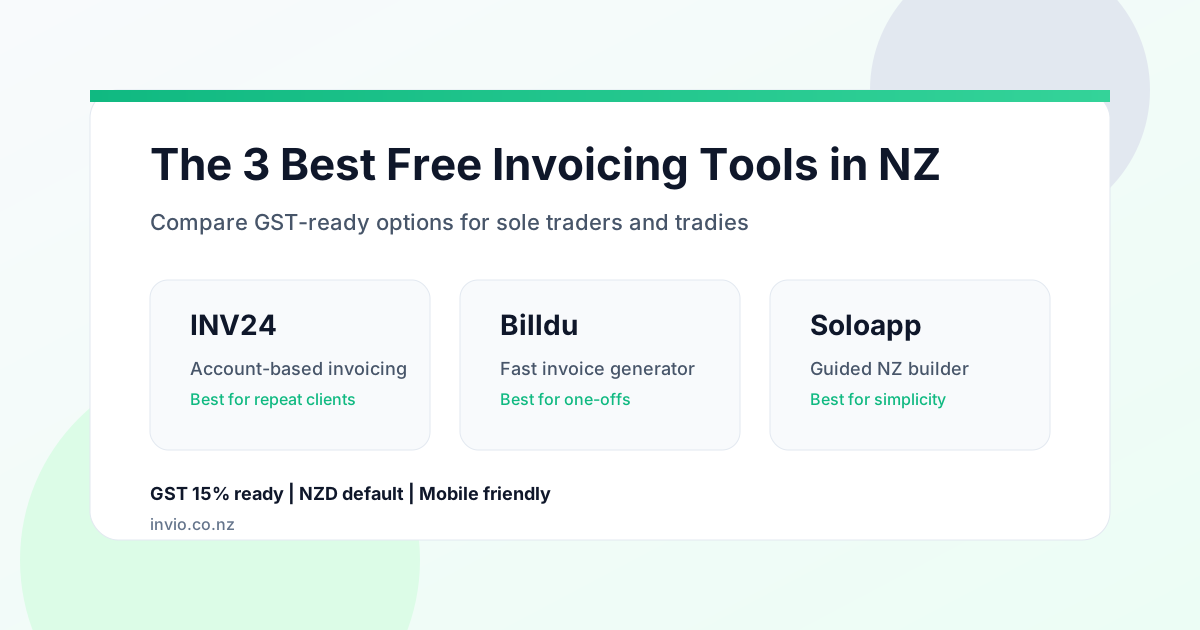
The 3 Best Free Invoicing Software Options in NZ (2026)
Compare three free invoicing tools for New Zealand businesses, with GST notes, free-plan tradeoffs, and practical tips to invoice faster and get paid sooner.
Running a business in New Zealand is tough work. You are out with clients, managing supplies, and getting the job done. The last thing you want at night is wrestling with spreadsheets just to get paid.
Free invoicing software in NZ can save time and protect cash flow, but only if it handles GST correctly and lets you invoice quickly from anywhere.
Disclosure: This article is published by Invio and includes our product in the comparison.
If you want the broader learning path first, start in the Invio resources hub for templates, GST help, and sole-trader guides. If you only need the document layout, open the free tax invoice template NZ.
Quick comparison
| Tool | Best for | Standout | Limitations |
|---|---|---|---|
| INV24 | Repeat clients and regular jobs | Client and item lists for faster repeat invoices | Fewer automation features on the free tier |
| Billdu | One-off or occasional invoices | Fast online invoice generator with PDF download | Free generator does not save client history |
| Soloapp | Solopreneurs who want a guided form | Step-by-step builder and GST toggle | No ongoing client database in the free tool |
Note: Free tiers and features can change. Check each provider's current limits before you commit.
What to look for in free invoicing software in NZ
- GST handling: GST is 15% in New Zealand. The tool should let you enter your GST number and show GST clearly.
- NZD by default: You should not have to change currency settings on every invoice.
- Speed: You should be able to send a clean invoice in under two minutes.
- Professional output: PDF download or email delivery should be included.
- Data retention: If you invoice the same client weekly, saved client details are a major time saver.
- Export options: Make sure you can export PDFs or data if you ever switch tools.
The 3 best free invoicing software options in NZ
1. INV24 (free quoting and invoicing account)
INV24 is a long-running web-based invoicing tool aimed at small businesses that want a free account with basic client management.
Typical features
- Invoices and quotes from a web dashboard
- Client list for repeat jobs
- Saved products or services for faster line items
- Email delivery or PDF export
GST notes: Look for a way to set a 15% GST rate and show your GST number. Confirm the template meets IRD requirements.
Best for: Sole traders and tradies with repeat clients who want a no-cost account.
Limitations: The interface is functional rather than flashy, and advanced automation features are limited in the free plan.
2. Billdu Free Invoice Generator
Billdu offers a fast invoice generator for people who want a clean PDF in minutes without setting up a full account.
Typical features
- Logo upload and basic customisation
- PDF download or email sending
- Works well on mobile devices
- Notes and attachments for job details
GST notes: You can enter a GST rate manually and the totals update. Always double-check the output for accuracy. If you want to sanity-check the numbers separately, use a 15% GST calculator first.
Best for: Freelancers who send occasional one-off invoices.
Limitations: The free generator does not save client history or provide reminders. Longer-term storage usually sits behind a paid plan.
3. Soloapp Free Invoice Generator
Soloapp is a NZ-focused generator designed for solopreneurs who want a guided, step-by-step form.
Typical features
- Structured builder that prompts for invoice number, date, and payment terms
- Automatic totals calculation
- Space for payment instructions and bank details
- GST checkbox for registered businesses
GST notes: The GST toggle helps ensure the 15% GST is shown when needed.
Best for: Sole traders who want a simple, local tool without logins.
Limitations: It behaves more like a one-off form than a full client database.
The hidden costs of "free"
Free tools can save money, but they can cost time. If you use a generator that does not store client details, you will re-enter names, addresses, and bank details every time.
That might be fine for a once-a-quarter job. It is not fine if you invoice weekly. Time spent retyping details is time you cannot bill.
Invio: a free plan with saved data
If you want a free plan without retyping client details every week, Invio is built for that use case.
- 5 invoices per month on the Starter plan (NZD 0)
- Unlimited clients and saved details
- Quotes that convert to invoices
- Automatic 15% GST calculation
- Email invoices and PDF downloads
When you outgrow 5 invoices, the Pro plan is NZD 5 per month with unlimited invoices, payment tracking, and unlimited reminders (your first 3 are already free on Starter). Pro AI (NZD 12/mo) adds AI-assisted invoicing. See the free plan, compare pricing, or start free.
Which Invio page should you open?
- Free Invoicing Software NZ if you want the actual free plan and the limits up front.
- Invoicing software for sole traders if you want the broader product fit, comparison context, and upgrade path.
- Pricing if you want the exact Free vs Pro feature split.
New Zealand GST requirements (quick overview)
If your turnover exceeds NZD 60,000 in any 12-month period, you must register for GST. If you are GST registered, your invoices must include taxable supply information.
IRD updated invoicing rules in 2023. Requirements vary by invoice value, so check IRD for current thresholds and the latest guidance.
- Supplier name and GST number (if registered)
- Date of issue
- Description of the goods or services
- Total amount payable, with GST shown or clearly stated as included
- Customer details for higher-value invoices
If you are not GST registered, do not charge GST or display a GST number. For the broader compliance path, the resources hub links out to the invoice requirements guide, tax guide, tax invoice template, and calculator in one place.
How to get paid faster
- Be specific with payment terms: "Payment due within 7 days" is clearer than "due on receipt".
- Itemise the work: Detailed descriptions reduce disputes and speed up approval.
- Send invoices immediately: Send it while the job is still fresh in the client's mind. The how to invoice as a sole trader guide walks through the full process.
- Accept card payments: Giving clients a way to pay by card removes friction. See how card payments work for NZ sole traders.
- Follow up politely: A short reminder email often does the trick.
Mobile and data security
Most tradies live out of the ute. A cloud tool that works well on mobile keeps the cash flow moving.
Also check how you can export your data. Good software lets you download PDFs and export invoice data so you are not locked in.
Making the final decision
If you only send an invoice occasionally, a generator like Billdu or Soloapp is usually enough. If you have recurring clients and want saved details, a free account-based tool like INV24 or Invio makes more sense. For a purpose-built starting point, open the sole trader invoice template and fill in your details once.
The most important thing is to stop doing it manually. Professional invoices get you paid faster and keep you compliant.
FAQ
Do I really need NZ-specific invoicing software?
You can use any tool if it lets you show GST correctly and invoice in NZD, but NZ-focused tools make compliance and formatting easier.
Can I use US-based free software?
You can, but check that it supports GST, NZD formatting, and space for your GST number. Many overseas tools default to sales tax or VAT language.
Is Invio's Starter plan really free?
Yes. The Starter plan is NZD 0 with 5 invoices per month and unlimited clients.
What happens if I exceed the free limit?
You can upgrade to Pro (NZD 5/mo) for unlimited invoices and unlimited payment reminders (your first 3, ever, are already free), or Pro AI (NZD 12/mo) if you want AI-assisted invoicing.
Can I send invoices from my phone?
Most modern tools are mobile-friendly, and Invio works in mobile browsers. Test the experience on your device before you commit.